





Your calls answered by leading travel experts in under 5 seconds.

Unpublished offers and great discounts when you book on-call.

Hand-crafted travel itinerary that meet all your travel preferences.

Round-the-clock customer service to get all your doubts clarified.
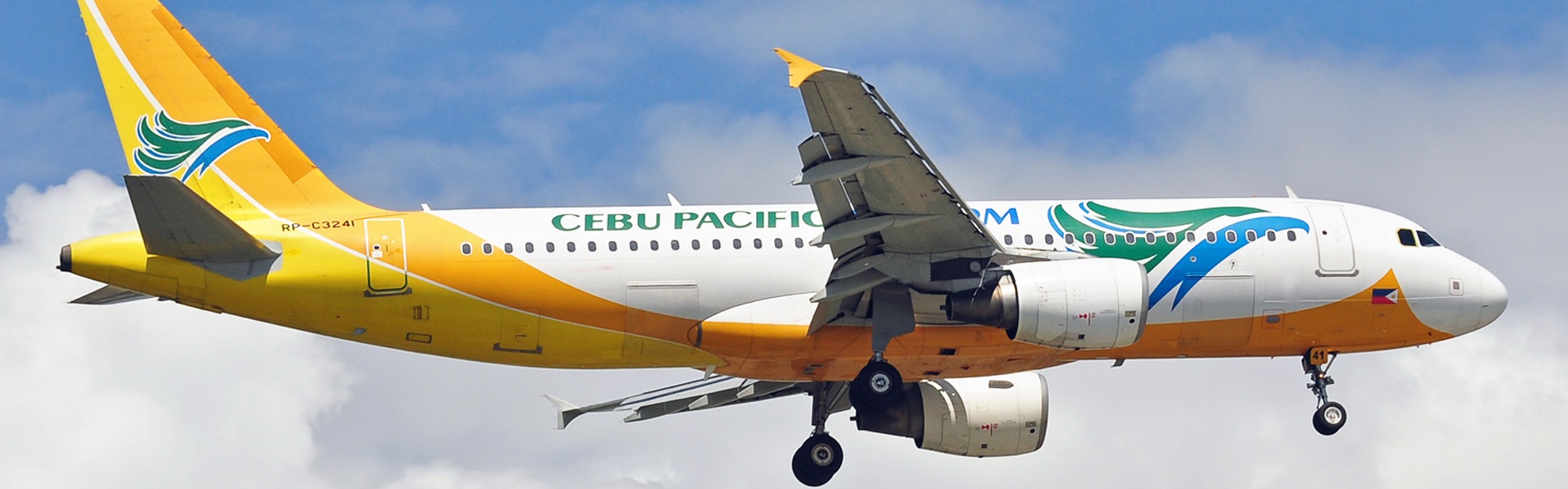
When you plan a vacation to a destination and want to book your CEBU Pacific Air flight tickets, then reach out to MyFlightFares. Our travel experts guide you through the booking process and help you score great airfares in your desired budget. We have flight offers from our inventory of 450+ airline options. Starting from Economy, First and Business Class tickets, MyFlightFares travel experts can give you various other services on your CEBU Pacific Air bookings like extra luggage, priority check-in, in-flight meals, and more.
Have a travel plan, choose MyFlightFares, and book your cheap CEBU Pacific Air ticket with us right away!
Yes — you can manage your Cebu Pacific booking online easily using their “Manage Booking” section on the website or mobile app, where you can change flights, add baggage, select seats, update passenger details, request refunds, and even do online check-in (up to 2 hours before departure) as long as you have your booking reference and last name or account details.
You can check your flight booking status by going to the airline’s “Manage Booking” or “My Trips” section on their website or app, entering your booking reference (PNR) and last name, and it will show your flight details, seat, and status; you can also check via the airline’s email confirmation or mobile app, or by contacting customer support if you don’t have the reference number.
To check your Cebu Pacific itinerary, go to their website or app and open “Manage Booking”, then enter your booking reference (PNR) and last name, and it will display your full itinerary including flight times, route, baggage allowance, and seat details; you can also view or download your itinerary from the confirmation email you received after booking or log in to your Cebu Pacific account if you booked with one.
To get your Cebu Pacific boarding pass online, go to their website or app and use “Web Check-in” (usually opens 48 hours before departure and closes 2 hours before the flight), enter your booking reference and last name, select your seat, confirm passenger details, and then you can download or save your boarding pass on your phone or get it emailed to you; if you have luggage, you’ll still need to drop it at the airport counter.
To check if your flight is confirmed, go to the airline’s “Manage Booking” or “My Trips” page, enter your booking reference (PNR) and last name, and it will show your flight status as confirmed along with your seat and itinerary; you can also verify it in your booking confirmation email or airline app, and if it shows an active booking with flight details (not “pending” or “on hold”), your ticket is confirmed.
“5J” is the airline code for Cebu Pacific, so when you see something like 5J 123, it simply means Cebu Pacific flight number 123; the “5J” part identifies the airline, while the numbers identify the specific flight route and schedule.
To get a copy of your flight itinerary, go to the airline’s “Manage Booking” or “My Trips” section, enter your booking reference (PNR) and last name, and you can view, download, or email your full itinerary with flight details, timings, and baggage info; you can also find it in your booking confirmation email or airline app, and if needed you can request it again from customer support.
Cebu Pacific baggage allowance depends on your fare, because it’s a low-cost airline. You usually get 1 carry-on bag up to 7 kg (56 × 36 × 23 cm) plus 1 small personal item, and checked baggage is not free in basic fares—you must buy it separately, with common options like 20 kg, 32 kg, or more per piece (max about 32 kg per bag).
No — Cebu Pacific does NOT allow 3 hand-carry bags. You are only allowed 2 pieces total: 1 main carry-on bag (up to 7 kg) plus 1 small personal item like a backpack, laptop bag, or handbag that fits under the seat. Anything more than that (like a third bag) will usually be asked to be combined, checked in, or paid as extra baggage at the airport, especially since the airline strictly enforces the 7 kg limit and 2-piece rule.
Yes — Cebu Pacific is quite strict with the 7 kg hand-carry limit, especially at check-in and busy airports, and they can weigh and size-check your bag before boarding; if you exceed the limit, they usually make you move items to checked baggage and pay extra fees, or in some cases require you to check the whole bag.
To add baggage on a Cebu Pacific booking you already made, go to the airline’s website or app and open “Manage Booking”, enter your booking reference (PNR) and last name, then select “Add baggage” or “Manage add-ons”, choose the weight (like 20 kg, 32 kg, etc.), and pay online to confirm the upgrade; you can usually do this up to 2 hours before departure, and it’s cheaper than paying at the airport.
For Cebu Pacific additional baggage, the cost depends on how much weight you add and when you buy it: pre-purchased baggage is usually cheaper (around ₱1,000–₱2,500 for 20 kg on domestic/international short routes), while 32 kg or extra weight upgrades can cost roughly ₱1,500–₱4,000+ depending on route, and buying at the airport is always more expensive and can be charged per kilo for excess baggage.
No — Cebu Pacific does not allow you to exceed 7 kg for cabin baggage, because the rule is strictly 1 carry-on + 1 small personal item with a combined limit of 7 kg total; if you go over, staff can ask you to remove items, combine bags, or send luggage to checked baggage and charge extra fees at check-in or the gate.
For Cebu Pacific, online check-in usually opens 48 hours before departure and closes about 1 hour before domestic flights and 2–4 hours before international flights, so you can check in anytime within that window and get your boarding pass early.
No — you don’t have to print your Cebu Pacific boarding pass if you do online check-in, because you can use a mobile boarding pass on your phone; just show the QR code at the airport security and boarding gate. However, if your phone dies or the airport requires it, you can still print it at home or at the check-in counter for backup, especially for some international routes where staff may request a printed copy.
No — Cebu Pacific does NOT allow 3 hand-carry bags. You are only allowed 2 pieces total: 1 main carry-on bag (up to 7 kg) plus 1 small personal item like a backpack or laptop bag that fits under the seat, and both together must stay within the 7 kg combined limit, otherwise you may be asked to repack or check in extra items and pay fees.
Yes — you can bring your own food on Cebu Pacific flights, as long as it’s solid and non-liquid (like sandwiches, snacks, fruits, biscuits, etc.), and it fits within your hand-carry allowance; however, liquid or semi-liquid foods (soups, sauces, yogurt, drinks) are restricted by airport security rules, and you may not be allowed to bring strong-smelling food that could disturb other passengers.
Yes — you can select or change your seat after booking a Cebu Pacific flight, as long as seats are still available. Just go to “Manage Booking” on their website or app, enter your booking reference and last name, then choose the Seat Selector option to pick or change your seat and pay any applicable fee if it’s a paid seat type.
Yes — you can choose or change your seat after booking a Cebu Pacific flight, as long as seats are still available. You just need to go to “Manage Booking” on the website or app, enter your booking reference and last name, and then open the seat map to pick your preferred seat and pay any fee if required; this can usually be done up to about 2 hours before departure, depending on availability.
To check your seat on a ticket, go to the airline’s “Manage Booking” or “My Trips” section, enter your booking reference (PNR) and last name, and your itinerary will show your assigned seat number and flight details; you can also find it in your confirmation email or mobile boarding pass after check-in, and if you haven’t selected a seat yet, it may say “auto-assigned” or show it only once check-in opens.
To select your preferred seat on Cebu Pacific, go to the airline’s website or app and open “Manage Booking”, then enter your booking reference (PNR) and last name; after your booking loads, click “Seat Selector” or “Add-ons”, choose your preferred seat from the seat map (window, aisle, extra legroom, etc.), and pay if the seat has a fee, then confirm and you’ll see your updated seat assignment.
Yes — you can still choose your seat after booking a Cebu Pacific flight. Just go to “Manage Booking” on their website or app, enter your booking reference and last name, then open the Seat Selector to pick or change your seat; this is usually available up to about 2 hours before departure, and some seats may be free while others (like extra legroom or preferred seats) can cost extra depending on availability.
Yes — you can bring 2 checked luggage with a total of 30 kg on Cebu Pacific, but only if it matches your purchased baggage allowance: Cebu Pacific is a piece-based system, so if you buy a 30 kg or 20 kg allowance, it is usually meant per piece or per bundle depending on your add-on, and you can split the weight across bags as long as no single bag exceeds about 32 kg and your total allowance is not exceeded.
To get a Cebu Pacific seat sale, you need to be fast and prepared because promo fares are limited and first-come, first-served. The best way is to follow Cebu Pacific’s official Facebook page, app, and email alerts, since they announce seat sales there first; then when a sale goes live, book immediately online using the app or website with your payment ready, because cheap fares can sell out in minutes.
You can get a 20% Cebu Pacific discount only if you are eligible under specific programs, not as a general promo code. The main ways are: (1) Senior citizens and PWDs automatically get 20% off domestic base fares, (2) students may also get 20% discounts on selected domestic fares when officially offered, and (3) special government-mandated or airline promos may apply but are not always available; you must enter your details or ID during booking on the website or app to apply it automatically.
Yes — many airlines do offer senior citizen discounts on flight tickets, usually for passengers aged 60 years and above, but the benefit is not universal and varies by airline, route, and fare type. In India, airlines like Air India provide around 10%–25% off on base fares for eligible seniors on selected routes, while some others offer limited or promotional discounts only when available; private airlines often do not guarantee a fixed discount and instead run occasional offers.
For Cebu Pacific, online check-in usually opens 48 hours before departure and closes about 1 hour before domestic flights and 2–4 hours before international flights, so you can check in anytime within that window to get your boarding pass and select seats if available.
Cebu Pacific baggage allowance is quite strict and depends on your fare. You get 1 carry-on bag up to 7 kg (plus 1 small personal item), while checked baggage is not free in basic fares and must be purchased separately, usually in options like 20 kg, 32 kg, or more per passenger, with a maximum of about 32 kg per bag.
No — you usually don’t need to print your boarding pass if you already have it on your phone, because airlines like Cebu Pacific accept a mobile boarding pass (QR code) at security and the boarding gate. However, it’s still a good idea to carry a printed copy as backup in case your phone battery dies or if airport staff specifically request it, especially on some international routes.
Yes — on Cebu Pacific international flights, your 7 kg carry-on allowance already includes your personal item, so both your main cabin bag + backpack/laptop bag together must not exceed 7 kg total. The personal item (like a small backpack, handbag, or laptop bag) is allowed in addition to the main bag, but it is not extra weight—it is part of the same 7 kg limit.
Yes — it is usually cheaper to book directly with Cebu Pacific, especially during seat sales and promo fares, because their lowest fares are often only fully available on the official website or app, and third-party sites may add extra fees or not show all promos. Booking direct also avoids hidden markups and ensures you see the final “all-in” price clearly, while OTAs (travel agencies) sometimes look cheaper at first but can become more expensive after add-ons or changes.
To add or choose a seat after booking a Cebu Pacific flight in the Philippines, go to the airline’s website or app and open “Manage Booking”, then enter your booking reference (PNR) and last name, select your flight, and click “Seat Selector” or “Add-ons” to view the seat map; from there you can pick your preferred seat (window, aisle, extra legroom, etc.), pay if required, and confirm—this can usually be done anytime up to about 2 hours before departure, depending on availability.
Yes — you can manage your Cebu Pacific booking using the Cebu Pacific mobile app, including options like viewing your itinerary, adding baggage, selecting seats, changing flights, and doing online check-in, as long as you enter your booking reference (PNR) and last name or log into your account.
You can manage your Cebu Pacific booking until about 2 hours before your flight’s departure, and this includes changes like seats, baggage, add-ons, or even rebooking, as long as the system is still open for your flight.
To modify a Cebu Pacific booking, go to the airline’s “Manage Booking” section on the website or app, enter your booking reference (PNR) and last name, then choose what you want to change—such as rebooking your flight date, adding baggage, selecting seats, updating contact details, or purchasing add-ons—and follow the prompts to pay any fare difference or fees; most changes can be made up to about 2 hours before departure, but options depend on your fare type and availability.
To select your seat in a Cebu Pacific booking, go to the airline’s website or mobile app and open “Manage Booking”, then enter your booking reference (PNR) and last name; once your flight loads, click “Seat Selector” or “Add-ons”, choose your preferred seat from the seat map (window, aisle, extra legroom, etc.), then pay if the seat has a fee and confirm your selection.
Yes — you can still change your seat after online check-in on Cebu Pacific, but it depends on availability and timing. In many cases, you can go back to Manage Booking or the app and reselect a seat even after check-in, but you may need to pay again or upgrade the seat, and sometimes the system may restrict changes close to departure.
To choose your seat after booking a flight, go to the airline’s “Manage Booking” section on the website or app, enter your booking reference (PNR) and last name, then open the seat map or “Seat Selection” option, pick your preferred seat (window, aisle, extra legroom, etc.), and confirm—paying any fee if required; you can usually do this anytime until check-in closes, depending on the airline and seat availability.
Yes — you can usually choose or change your seat during online check-in, as long as seats are still available; when you check in online, the system will either auto-assign a seat or let you pick from a seat map, though some preferred or extra-legroom seats may require an additional fee. Once you confirm check-in, your seat becomes part of your boarding pass, but in some cases you can still modify it before boarding if the airline allows changes.
For Cebu Pacific, online check-in usually opens 48 hours before departure and closes about 1 hour before domestic flights and 2 hours before international flights, so you can check in anytime within that window and get your boarding pass early.
No — you don’t need to print your boarding pass if you checked in online with Cebu Pacific, because a mobile boarding pass on your phone is accepted at security and the boarding gate; just show the QR code. However, it’s still smart to have a printed copy or screenshot backup in case your phone dies or the airport system has issues, especially on international flights.
Yes — you can cancel a Cebu Pacific flight, but refunds are very limited. In most cases, voluntary cancellations (your own decision) are not refundable, and you usually only get a Travel Fund or rebooking option, especially for promo or basic fares; cash refunds are only given in specific situations like flight cancellation by the airline, major schedule changes, or eligible medical/emergency cases.
Yes — you can get a full refund on Cathay Pacific, but only in specific cases. You will get a 100% refund if you cancel within 24 hours of booking (and your flight is at least 7–8 days away), or if you bought a fully refundable/flexible fare, or if Cathay cancels or significantly changes your flight. In most other cases—especially cheap Economy “Saver” tickets—full refunds are not allowed, and you may only get taxes back or a partial refund minus fees depending on fare rules.
No — Cebu Pacific does NOT generally offer fully refundable plane tickets. Most of their fares (especially promo and basic fares) are non-refundable if you cancel voluntarily, meaning you usually won’t get cash back, only a Travel Fund or rebooking option depending on your fare or add-ons.
To cancel your Cebu Pacific booking, go to the Cebu Pacific website or mobile app → “Manage Booking”, enter your booking reference (PNR) and last name, then select your flight and click “Cancel Flight” or “Modify/Cancel”, and follow the prompts to confirm; after that, your booking will either be converted to Travel Fund or processed for refund (if eligible under your fare rules or airline disruption).
When a Cebu Pacific flight is cancelled by the airline, the main benefit is that you are given flexible options without penalty, such as a full cash refund to your original payment method, free rebooking to another date, or conversion of the ticket value into Travel Fund for future use.
If you are overseas, you can contact Cebu Pacific mainly through their international hotlines, online chat, or email, since support is not fully centralized in one global number. From countries like Hong Kong (+1-855-551-1040), Singapore (+1-855-551-1040), Japan, Australia, China, and Korea, they provide dedicated call centers you can dial directly depending on your location.
Yes — Cebu Pacific can refund travel tax, but only in specific cases and not as a standard automatic refund. If your flight is cancelled, disrupted, or you did not use your ticket, the Philippine Travel Tax (and some other taxes like terminal fees) can be refunded separately from the airfare, but you must submit a refund request through Manage Booking or Cebu Pacific support, and it is processed through TIEZA or the airline depending on how it was paid.
To rebook a Cebu Pacific flight without charges, it is only possible in a few situations: you can rebook for free if your flight was cancelled or significantly changed by the airline, or if you are using a CEB Flexi add-on or GO Flexi fare bundle that allows free changes; in these cases, you can change your flight through Manage Booking up to 2 hours before departure without paying change fees, though fare differences may still apply for different flight prices.
To cancel and get a refund on a Cebu Pacific ticket, go to the Cebu Pacific website or app → “Manage Booking”, enter your booking reference (PNR) and last name, then select Cancel Flight and choose your option: most of the time you’ll get a Travel Fund (credit for future flights), while cash refunds are only allowed if the airline cancels your flight, there is a major schedule change, or you qualify under special cases like medical or death situations. After submitting, refunds or credits are processed in about 15 days or more depending on payment method, and once you choose an option it usually cannot be reversed.
Yes — you can reschedule a Cebu Pacific flight, but it is usually NOT free unless you qualify for special cases. Voluntary changes normally require you to pay a change fee plus any fare difference, even if the airline later updated your schedule.
Yes — you can rebook flights for free, but only in specific situations. Most airlines allow free changes only if your flight is cancelled or significantly changed by the airline, or if you booked a flexible/fare-with-benefits ticket (like “Flexi” or “Refundable” fares); in these cases you can rebook without paying change fees, though you may still need to pay any fare difference for a more expensive flight.
Yes — it is possible to reschedule (rebook) your Cebu Pacific flight, but it is not always free. You can change your flight date or time through “Manage Booking” on the website or app, and Cebu Pacific allows rebooking up to about 2 hours before departure.
To reschedule a Cebu Pacific flight you already booked, go to the Cebu Pacific website or mobile app → “Manage Booking”, then enter your booking reference (PNR) and last name. Once your booking opens, click “Rebook” or “Change Flight”, choose a new date or time from the available options, review the fare difference and any change fees, then pay and confirm to complete the update. You can usually do this any time up to about 2 hours before departure, but charges normally apply unless your flight was disrupted or you have a Flexi add-on.
Yes — you can rebook a Cebu Pacific flight for free only in limited situations.
Cebu Pacific allows unlimited rebooking, meaning there is no fixed limit to how many times you can change your flight as long as you do it within the allowed time before departure (usually up to about 2 hours before the flight) and you pay any change fees and fare differences each time.
Cebu Pacific does NOT allow pets in the cabin or as checked baggage for passengers. The only exception is service dogs or emotional support dogs (with required documents), and only one dog per flight is allowed in the cabin for those cases. For regular pets like dogs and cats, they must be transported separately through CEB Cargo (freight service), not with you on the passenger flight.
Yes — Cebu Pacific is quite strict with the 7 kg hand-carry limit, especially on international flights and busy airports, and they can weigh your cabin bag and check its size before boarding. If your bag exceeds the limit, they may ask you to remove items, repack, or pay for checked baggage at the airport, which is usually more expensive than pre-booking online.
Yes — Top of Cebu (TOPS Cebu in Busay, Cebu City) is pet friendly, and they officially allow pets of all sizes as long as they are leashed and owners clean up after them.
No, Cebu Pacific does not allow regular pet dogs on international flights in the cabin or as checked baggage; only certified service dogs or emotional support dogs with proper documents are allowed onboard (and only one per flight), while normal pets must be transported separately through Cebu Pacific Cargo instead of traveling with passengers.
Yes — you can carry a pet dog on some international flights, but it depends entirely on the airline’s rules and destination country regulations. Many airlines only allow dogs as cargo (not cabin), while a few permit small dogs in the cabin on specific routes, and most require health certificates, vaccinations, and import permits; for example, airlines like Cathay Pacific transport pets mainly as cargo, not in the passenger cabin, and strict quarantine rules may also apply when you arrive.
Flying a dog internationally usually costs around $100–$200 if allowed in the cabin, while cargo transport for larger dogs typically ranges from $300 to $1,000+ per flight, depending on the airline and distance; when you also include required extras like health certificates, vaccinations, pet crate, and import permits, the total cost often ends up between $1,000 and several thousand dollars for a full international trip, especially on long-haul routes.